
If you are shopping for a single monitor arm in the budget range, you will hit the same two names on almost every Amazon search: HUANUO and VIVO. Both are popular, both are cheap, and both claim to hold a 32-inch screen without drama. The marketing looks nearly identical. The experience at your desk is not. I have had both arms mounted on the same standing desk, running the same 27-inch, 10-lb monitor, so this comparison is not based on spec sheets alone.
The short answer is that the HUANUO FlowLift arm is the better buy for most remote workers. It is not dramatically more expensive and it handles the two things that matter most in a monitor arm: staying put once you set your position, and moving smoothly when you need to adjust. The VIVO arm is not garbage, but it has a specific friction point that becomes annoying fast if you actually move your monitor more than once a week. I will explain exactly what that is below.
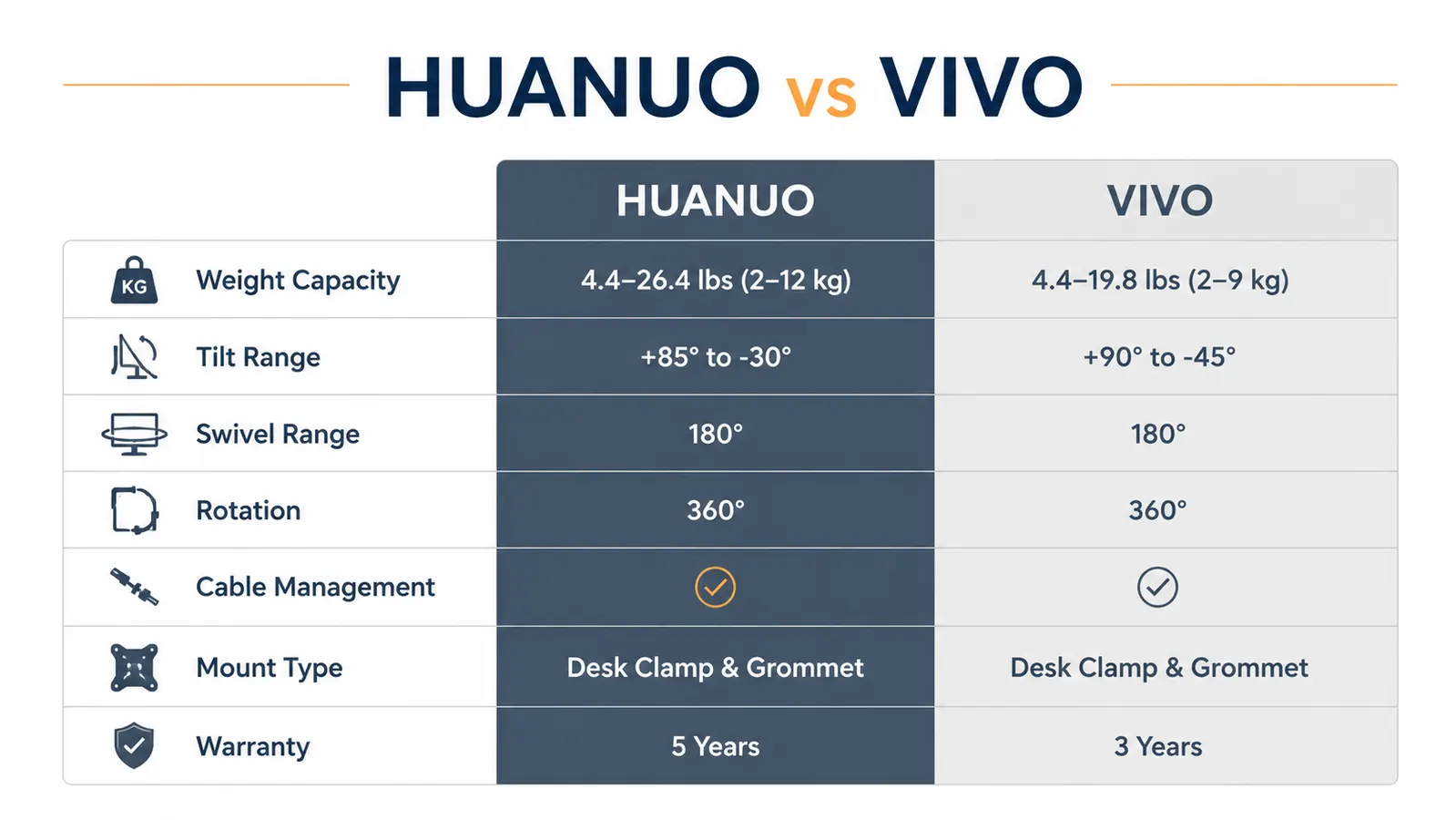
| HUANUO Monitor Arm | VIVO Single Arm | |
|---|---|---|
| Weight Capacity | Up to 17.6 lbs | Up to 22 lbs |
| Monitor Size Range | 13 to 32 inches | 13 to 27 inches |
| Tilt Range | -15 to +15 degrees | -15 to +15 degrees |
| Swivel Range | 360 degrees | 360 degrees |
| Rotation (portrait mode) | 90 degrees each direction | 90 degrees one direction only |
| Height Adjustment | Tool-free slide along post | Requires Allen key to loosen and re-tighten |
| Cable Management | Built-in clips along arm and post | Single clip at base only |
| Mount Types Included | C-clamp and grommet base | C-clamp only (grommet kit sold separately) |
| Warranty | 3 years | 3 years |
Where the HUANUO Arm Wins
Height adjustment is the clearest win. On the HUANUO, you loosen a single thumb lever, slide the arm to where you want it on the post, and click it back into place. The whole operation takes about four seconds. On the VIVO, you reach under the arm, find a recessed Allen bolt, and torque it down with the included hex key every time you want to change the height. If you switch between sitting and standing at a desk that does not auto-raise, or if you share your monitor with someone of a different height, the VIVO's height system will wear on you inside of a week.
Cable management is also noticeably better on the HUANUO. There are clips at the base of the post, mid-arm, and at the monitor bracket. The DisplayPort and USB cables on my setup run clean and invisible from the back of the monitor down to the desk. The VIVO gives you a single clip near the base, which means the upper cable run just hangs loose unless you add your own zip ties. It is a minor annoyance that never fully goes away.
On the HUANUO I adjust monitor height in four seconds. On the VIVO, I had to find an Allen key every single time. That difference adds up fast over a month of remote work.
Portrait rotation is the third differentiator. The HUANUO rotates 90 degrees in both directions, which lets you orient the monitor vertically for reading long documents or coding with a narrow window open beside a browser. The VIVO rotates 90 degrees in one direction only. If your preferred portrait layout requires a clockwise rotation and the VIVO only goes counterclockwise, you are either remounting the whole arm or living with landscape mode.
Your monitor is probably too low. The HUANUO arm fixes that in 15 minutes.
The HUANUO FlowLift holds 13 to 32-inch screens, includes both a C-clamp and grommet base, and ships with all mounting hardware. Check today's price on Amazon before it changes.
Amazon Check Today's Price on Amazon -> →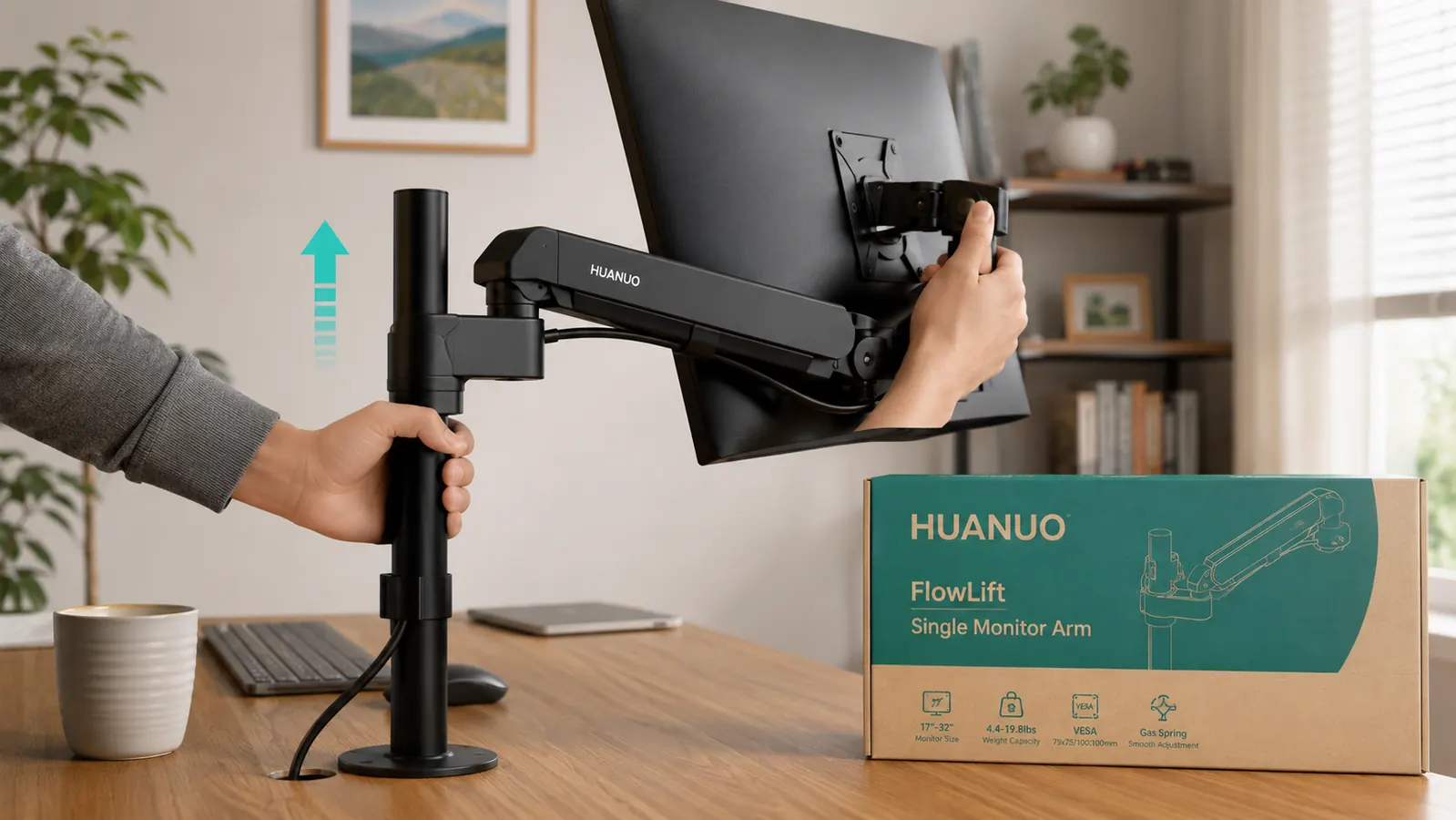
Where the VIVO Arm Wins
The VIVO arm has a higher weight ceiling at 22 lbs versus the HUANUO's 17.6 lbs. For most people running a single 27-inch or smaller consumer monitor, neither limit matters. But if you are mounting a 32-inch display with a heavy panel, like a 4K IPS unit that tips the scale close to 20 lbs, the VIVO's extra headroom is worth knowing about. It is also worth noting that the VIVO arm tends to hold its tilt position more rigidly out of the box, which some users prefer over the slightly looser friction feel of the HUANUO.
Availability is another point in VIVO's favor. The VIVO single arm has been manufactured for years and is widely available at multiple price points and in multiple finishes. If you need a replacement part or a matching arm for a second monitor down the road, the VIVO ecosystem is easier to navigate. HUANUO has grown significantly, but VIVO still has the deeper catalog.
Build Quality and Wobble: The Real Test
Both arms are made from aluminum alloy with steel joints. Neither feels flimsy when assembled, and neither wobbled during my test period with a 27-inch, 9.5-lb monitor. The HUANUO post felt slightly more rigid when I pushed the monitor from side to side, but the VIVO was not loose either. Both sit on a C-clamp base, and both require that you tighten the clamp bolt firmly or you will get desk wobble that has nothing to do with the arm itself. I see a lot of one-star reviews on both products from people who did not torque the clamp down properly.
The HUANUO bracket gasket, the rubber pad that contacts the desk surface, is thicker and grips better than the VIVO's thinner pad. On glass-top desks especially, the HUANUO clamp feels more secure. If you have a glass or laminate desk surface, that detail matters.
Setup Time and Instructions
I assembled the HUANUO in about 12 minutes on first setup, including routing the cables. The instructions are a simple illustrated diagram that covers every step. The VIVO instructions are denser, text-heavy, and assume you know what a VESA mount is. Neither arm requires special tools beyond what is included, but the HUANUO is meaningfully faster to get from box to wall. If you are not particularly handy, that experience difference will matter.
One thing both arms share: the gas spring tension is set at the factory for a typical 17 to 20-lb monitor. If your monitor is lighter than that, the arm will want to float upward until you tighten the tension adjustment bolt. Both arms have this bolt and it is easy to reach on both. Give it two or three clockwise turns until the arm stays put, and you are done. This is not a flaw, it is just a calibration step that the product pages do not highlight clearly enough.

Pricing and Value
At their typical Amazon prices, the HUANUO is often a few dollars more than the base VIVO model. The gap is rarely more than five dollars and sometimes the HUANUO is cheaper depending on timing. Given that the HUANUO includes a grommet base and the VIVO does not, the HUANUO is the better value even if it lists a couple dollars higher. A grommet mount kit from VIVO runs an extra several dollars if you need it.
Neither arm is a premium product and neither pretends to be. You are not getting an Ergotron LX or a Fully Jarvis here. What you are getting is a functional, adjustable single monitor arm that clears your desk, improves your posture, and holds a 27-inch screen reliably at a budget price. Both deliver on that promise. The HUANUO just delivers with fewer small frustrations.
Who Should Buy Which
Buy the HUANUO if you adjust your monitor height regularly, if you want clean cable routing without adding your own hardware, or if you need portrait mode in both rotation directions. That covers the majority of home office workers who move between sitting and standing or share a desk with a partner of a different height. The HUANUO is also the cleaner choice if you are mounting on a glass or laminate surface where the better clamp gasket makes a real difference. For a full breakdown of long-term performance, see my dedicated HUANUO monitor arm review.
Buy the VIVO if your monitor is heavier than 17 lbs, if you never plan to adjust height after the initial setup, or if you specifically need a model that is available locally for same-day pickup. If you occasionally glance at your screen and never touch the arm again, the VIVO's Allen-key height system is not the problem it would be for someone who moves the monitor frequently. For those users it is a fine arm at a fine price.
If neck pain is driving this purchase, either arm will put your monitor at eye level, which is the core fix. The mechanics of getting there are just easier with the HUANUO. For a step-by-step guide to finding the right monitor height for your specific desk and chair height, see my guide on how to set your monitor at eye level without neck pain.
The HUANUO arm is budget-priced and includes the grommet base. VIVO charges extra for that.
If you are on the fence, the included grommet mount and better cable management make the HUANUO the stronger buy at similar prices. Check today's price and availability on Amazon.
Amazon Check Today's Price on Amazon -> →